
Cyber Guard Antivirus
medonia ltdTools
4.3132.00 Reviews
- Version
- 1.28
- Installs
- 100.00K
- Age Rating
- Everyone
Screenshots
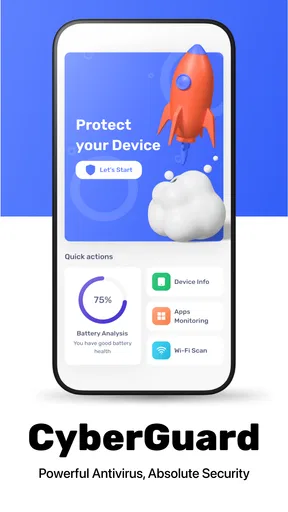
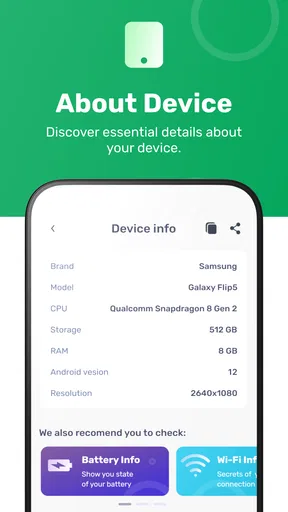
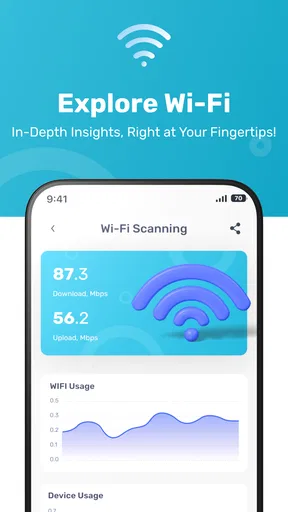
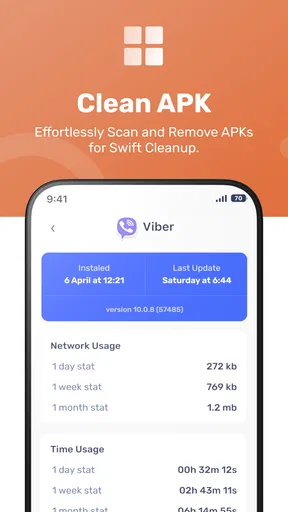
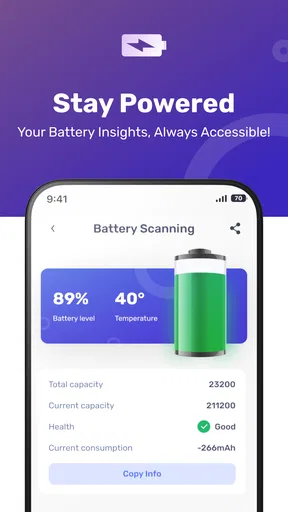
Our Review of Cyber Guard Antivirus
 Analysis by Appyee
Cyber Guard Antivirus is the kind of tool I would consider when I want a little more visibility over what is happening on an Android phone, without paying an upfront download fee. Developed by medonia ltd, it sits in the tools category and focuses on mobile protection rather than entertainment or social features. I approached it as a practical utility: something to check when installing apps, browsing unfamiliar pages, or trying to keep a phone feeling trustworthy.
My first impression is that its appeal depends less on flashy extras and more on how comfortably it fits into a routine. The app has a 4.3 average from around 600 ratings, with roughly 130 written reviews, and it has passed the 100K-install mark. Those figures suggest that it has found a real audience, although they do not replace personal testing. Antivirus apps are judged by moments when something feels suspicious, so the useful question is not simply whether the interface looks clean, but whether the app gives you a sensible way to respond when your phone, connection, or download behaves unexpectedly.
How Cyber Guard Antivirus fits into everyday phone use
I find it helpful to decide in advance what I want a security app to do: give me another checkpoint when a download or online action feels uncertain, rather than make every routine task feel risky. That expectation makes it easier to judge whether this tool earns a place on my phone, and it leads naturally to the practical question of how to use it without adding needless steps.
Protection starts with the moments when you are connected
Cyber Guard Antivirus is most relevant when the phone is actively exposed to outside content. That can mean downloading an unfamiliar application, opening a link from a message, browsing through a less familiar website, or using a public network while travelling. In those situations, I see the app as a second pair of eyes rather than a replacement for careful judgement.
That distinction matters. No antivirus tool can turn every risky online decision into a safe one. If a message asks for a password, a payment, or an urgent account action, I would still inspect the sender and destination myself. The app is more useful as part of a layered habit: keep the operating system current, install software from sensible sources, avoid granting permissions casually, and use a security check when something does not look right.
Connectivity shapes the experience because many security decisions happen around incoming or outgoing data. A scan may be most valuable immediately after a download, while a warning is most useful before I continue to a questionable destination. I would not judge the application by whether it makes the phone feel permanently sealed off from danger. I judge it by whether it helps me pause at the right moment.
One practical tip is to use a scan as a confirmation step, not as permission to ignore warning signs. If an application comes from an unfamiliar source or demands access that does not match its purpose, I would stop even if the security tool does not raise an obvious alarm. This is a small but important trade-off: convenience improves when one tap settles a concern, but security improves when the user remains involved.
A realistic travel scenario
Imagine arriving at a hotel and needing a local transport application. You find a download page through a search result, but the name is slightly different from the one recommended by the hotel. This is exactly the kind of mobile situation where I would slow down. I would verify the developer and app identity first, install only when the source looks appropriate, and then use Cyber Guard Antivirus as an additional check.
The network connection can affect how comfortable that process feels. On a busy public network, pages may load slowly, redirects may be confusing, and a download may fail halfway through. Rather than repeatedly tapping the download button, I would wait for a stable connection, check whether the application actually installed, and then run the relevant protection check. That workflow reduces the chance of creating several incomplete or duplicate downloads while trying to solve one problem.
This is also where the app’s free entry point is useful. You can try it without an upfront purchase, which makes it easier to decide whether its approach suits your phone and habits. At the same time, the presence of in-app purchases priced at $9.99 per item means I would inspect any upgrade screen carefully before confirming anything. Free to install does not automatically mean every protection option is free.
What changes between home, work, and public networks
At home, I usually have a more predictable connection and more time to investigate a warning. On a work network, I may be dealing with company rules or sensitive files, so I would avoid treating a personal security tool as a substitute for workplace protection. In a café or airport, the main advantage of a security check is psychological as much as technical: it encourages me to think before opening a downloaded file or entering credentials.
I would also avoid doing a large check at the worst possible moment, such as while trying to board a train or complete a time-sensitive payment. If the connection is unstable, the sensible response is to postpone nonessential activity, move to a trusted connection, and retry calmly. Security tools are less helpful when the user is rushing through unclear screens.
Using it on a phone rather than a desktop
A phone creates a different security problem from a laptop. It is always nearby, used for banking, messaging, navigation, photos, and two-factor authentication. That makes a suspicious application more disruptive because the device contains so much of daily life. I like the idea of having a dedicated security utility available for those moments when a download or link feels questionable.
Still, I would not expect it to solve every mobile risk. Account takeover, weak passwords, fraudulent messages, and social engineering often succeed without installing malware at all. Cyber Guard Antivirus makes more sense for people who want an extra inspection layer around applications and browsing activity, not for someone looking for a complete replacement for safe account practices.
It is also worth considering battery and attention. Any protection app can become irritating if it constantly interrupts the user or encourages checks that do not match the situation. My preferred approach would be targeted use: check after an unusual installation, investigate a warning immediately, and avoid turning every ordinary phone action into a security ritual.
Where the experience can become frustrating
The most obvious friction is the uncertainty that can appear when a security process depends on a connection. A slow network can make it difficult to tell whether a check is still working, whether a result is delayed, or whether the original download caused the problem. I would give the app time to finish rather than repeatedly closing and reopening it, because repeated retries can make diagnosis harder.
If a check fails, my recovery routine would be simple. First, I would note what I was doing when the problem appeared. Then I would move from an unreliable network to a trusted one, reopen the app, and repeat the check once. If the issue involved a newly installed application, I would avoid opening that application again until I had decided whether to remove it. This workflow is more useful than assuming that a failed check automatically means the phone is infected.
The same caution applies to warnings. A warning is a reason to investigate, not proof that every file or page is malicious. I would look at the source, the requested access, the timing, and whether the content was expected. If the warning concerns something I do not need, deleting it is usually the cleanest option. If it concerns something important, I would find a safer official source rather than trying to force the original action through.
Recovery after an interrupted download or scan
One non-obvious habit I recommend is separating recovery from curiosity. If a download stops halfway or a scan appears incomplete, I would not immediately open every related file to see what happened. I would clear up the connection problem first, confirm whether the installation completed, and then perform one deliberate check.
Another useful habit is keeping a mental record of recent changes. If the phone begins showing unusual behavior shortly after a new installation, that timing is meaningful even if the symptoms are vague. Cyber Guard Antivirus can be part of the investigation, but the user still needs to connect the event with the change that preceded it.
People who expect a single button to explain every security event may find this approach less satisfying. Antivirus software can identify or flag problems, but deciding what to uninstall, what account to secure, or which source to trust still requires context. I consider that a limitation of the category as much as of this particular app.
Being careful with mobile data
Because security checks can involve network activity, I would be selective when using mobile data. If I am travelling with a limited allowance, I would reserve detailed checks for a stable Wi-Fi connection that I trust, while avoiding unfamiliar public networks when possible. The important balance is not to delay a genuinely suspicious situation simply to save data, but also not to run repeated checks without knowing what they are examining.
A practical routine is to perform maintenance when the phone is connected at home, then use the app for targeted checks while away. This makes the tool less disruptive and reduces the temptation to approve something quickly because the connection is slow. It also gives me a clearer sense of what changed between one check and the next.
I would not assume that a Wi-Fi network is safe merely because it is free or has a familiar name. A trusted connection means one I recognize and can use with reasonable confidence, not simply the strongest signal nearby. Cyber Guard Antivirus can support safer decisions, but the network itself remains part of the risk picture.
Who should try it
I think Cyber Guard Antivirus is best suited to Android users who regularly install applications, handle links from different sources, or want a straightforward security tool available when something feels unusual. It may also suit people who are not confident interpreting every warning themselves but are willing to pause and investigate rather than blindly accept a result.
The app supports Android from version 8.0 onward, so it can fit phones that are not running the newest software. Its Everyone age classification also makes it approachable for a broad audience, although younger users still benefit from guidance about downloads, messages, and account details. The current release is version 1.28, which is the version I would look for when checking that my installation is up to date.
I would skip it if I want a complete device-management suite, a heavily documented enterprise security platform, or a tool that removes the need for personal judgement. I would also be cautious if I dislike optional purchase prompts. The app costs nothing to install, but the $9.99-per-item in-app purchase structure means I would read each offer before deciding whether an additional feature is worth it.
How it compares with the usual alternatives
The usual alternative is to rely entirely on the phone’s built-in protections and careful downloading. That approach is attractive because it keeps the device simpler and avoids adding another application. For confident users who install very little and already follow strict source-checking habits, Cyber Guard Antivirus may not change much.
The other alternative is a larger security suite from a long-established security brand. Such products may be preferable for people who want a broad collection of privacy, identity, browsing, and device tools in one subscription. The trade-off is that they can feel heavier, introduce more settings, and make the phone’s security experience less focused.
Cyber Guard Antivirus occupies a more approachable middle ground for me. It is a dedicated tool rather than a general phone-cleaning application, and its free installation lowers the barrier to trying it. Its value depends on whether its checks and prompts fit your routine. If you want a small, purpose-driven layer around suspicious downloads and mobile activity, it is easier to justify than a large suite you rarely open.
My main advice is to treat Cyber Guard Antivirus as a decision aid, not a guarantee. Use it when a download, link, or new installation deserves attention; combine it with official sources, sensible permissions, strong account security, and current system software. That combination is more reliable than asking any single app to carry the entire responsibility.
My final view on the connected experience
After looking at the app through everyday network situations, I see Cyber Guard Antivirus as a practical option for users who want an extra checkpoint on an Android phone. It is free to install, available to a wide range of devices, and backed by a noticeable user base, while the 4.3 average indicates generally positive reception. I would still make the decision based on how often I encounter unfamiliar downloads and how comfortable I am with the app’s purchase prompts.
Its strongest role is not dramatic rescue. It is the quiet moment before I open something questionable, install an application from a source I do not know well, or continue after a strange redirect. Connectivity can make those moments more complicated, especially on public or unstable networks, but a calm workflow—pause, switch to a trusted connection when practical, check once, and investigate the result—keeps the tool useful.
For a friend who wants a focused mobile security companion and understands that warnings require judgement, I would recommend giving it a try. For someone who wants guaranteed protection, a complete privacy suite, or a fully hands-off experience, I would point them toward a more comprehensive alternative or simply the phone’s built-in tools combined with disciplined habits. Cyber Guard Antivirus is most convincing when used thoughtfully: as an extra layer that helps me make better connected-phone decisions, rather than as permission to stop paying attention.
Verdict
Strengths of Cyber Guard Antivirus
- Real-time scanning helps detect suspicious files and apps quickly.
- Includes privacy checks for apps requesting sensitive permissions.
- Simple interface makes core security tools easy to find.
- Can help identify unsafe websites and potentially harmful links.
- Useful alerts notify users when security risks require attention.
Limitations of Cyber Guard Antivirus
- Some advanced protection features may require a paid subscription.
- Background scanning can increase battery and system resource usage.
- Security results may include occasional false positives.
- Full protection can depend on keeping virus definitions updated.
- Extra notifications may feel intrusive for users wanting a quiet experience.
Similar Picks in This Category
View All
Google LLC4.0

Gboard - the Google Keyboard
Google LLC4.5

Google Play services
Google LLC4.3

Google Play Store
Google LLC4.9

Files by Google
Google LLC4.5

SHAREit: Transfer, Share Files
Smart Media4U Technology Pte.Ltd.4.3
Frequently Asked Questions
What is Cyber Guard Antivirus, and what does it do?
Cyber Guard Antivirus is designed to help protect Android and iOS devices from common digital threats, including malicious applications, suspicious files, unsafe links, and potential privacy risks. Its main purpose is to provide security checks and alerts that help users identify problems before they cause harm. The exact tools available may vary depending on the device, operating-system version, and app edition.
Is Cyber Guard Antivirus free to download and use?
Cyber Guard Antivirus may be available as a free download, but some features can require a subscription, one-time purchase, or in-app payment. Before installing, check the store listing carefully for information about premium protection, trial periods, automatic renewal, and limitations in the free version. It is also worth reviewing the cancellation terms so you are not surprised by future charges.
Can Cyber Guard Antivirus remove viruses and protect my device in real time?
The application is intended to scan for security threats and may offer real-time monitoring, depending on the platform and plan you use. However, no antivirus app can guarantee complete protection against every new threat. Keep Cyber Guard Antivirus updated, install operating-system security updates, download apps only from trusted stores, and avoid opening suspicious links or attachments. These habits are essential alongside any security tool.
Does Cyber Guard Antivirus affect battery life or device performance?
As with most security applications, Cyber Guard Antivirus may use some battery, storage, memory, and processing power while scanning files or monitoring activity. The impact is usually influenced by scan frequency, device age, background settings, and the number of installed applications. If you notice slower performance or faster battery drain, review its background permissions and schedule scans for times when the device is charging.
What permissions and personal data does Cyber Guard Antivirus require?
Cyber Guard Antivirus may request permissions related to storage, installed applications, notifications, accessibility, network activity, or device security features, depending on the operating system and the protection tools enabled. These permissions can be necessary for scanning and alerts, but users should review the privacy policy before granting access. Download only from the official app store and avoid unofficial modified versions.
